

The project itself :
Project Overview
As part of a 10-week UX studio project with Google Nest, our team reimagined the thermostat ecosystem across embedded hardware and mobile. We designed three distinct directions for different user archetypes - Conscious Minimalist, Uncompromising Geek, and Unwilling Employee—while keeping navigation, scheduling, and controls consistent across devices. I contributed to all three concepts and took full ownership of Sparrow’s Nest, the conscious minimalist direction focused on visualizing energy savings through calm, meaningful interactions.
Expand to see details
Framer is a design tool that allows you to design websites on a freeform canvas, and then publish them as websites with a single click.
The good stuff :
Spotlight
Expand to see details
Framer is a design tool that allows you to design websites on a freeform canvas, and then publish them as websites with a single click.
Digging into the context :
Discovery
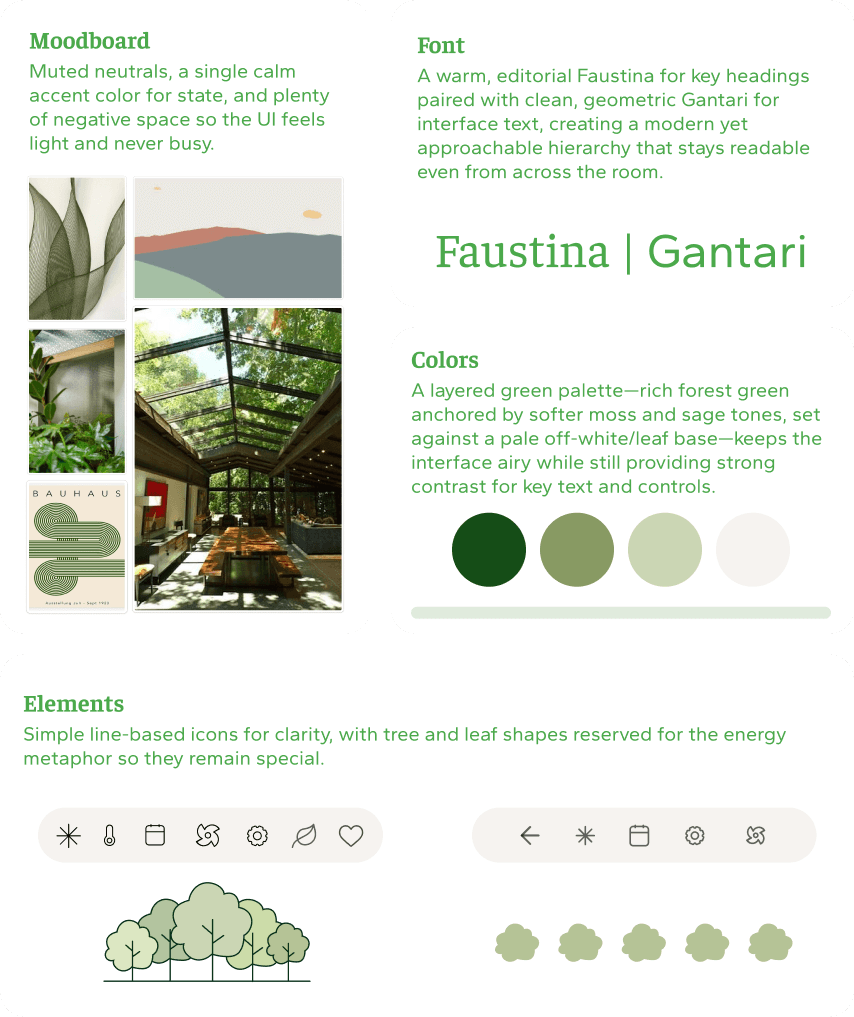
To keep Sparrow’s Nest focused, I first translated “conscious minimalist” into a concrete design language:
Intentional, not bare.
The interface should feel light and uncluttered, but still informative.
Impact-aware.
Every major interaction should hint at its energy impact.
Low cognitive load.
Few screens, clear hierarchy, and predictable flows.
Defining terms
What does “conscious minimalist” mean?
Expand to see details
Framer is a design tool that allows you to design websites on a freeform canvas, and then publish them as websites with a single click.
All about the user :
User Research
Sparrow’s Nest — grow your comfort, grow your forest.
To ground our concepts, we first mapped how different people actually use thermostats across hardware and mobile. As a team we researched three archetypes—Conscious Minimalists, Uncompromising Geeks, and Unwilling Employees—then defined shared flows for home, scheduling, and menu screens on both the Nest device and app. From there, I focused on the Sparrow’s Nest direction, using our research to design a calmer, sustainability-driven experience for conscious minimalists.
Expand to see details
Framer is a design tool that allows you to design websites on a freeform canvas, and then publish them as websites with a single click.
The project schematically :
Design
Before designing any screens, our team mapped a unified user flow that works for all three personas across both thermostat and mobile. We focused on:
Checking current comfort and energy health (Home)
Editing schedules (Schedule)
Adjusting global settings (Menu)
This became the backbone for Sparrow’s Nest, Falcon’s Nest, and Robin’s Nest.
Rapid prototyping
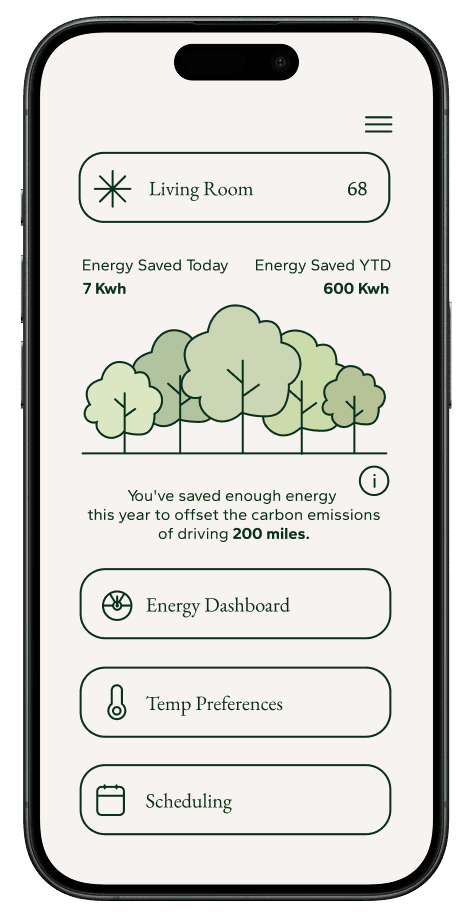
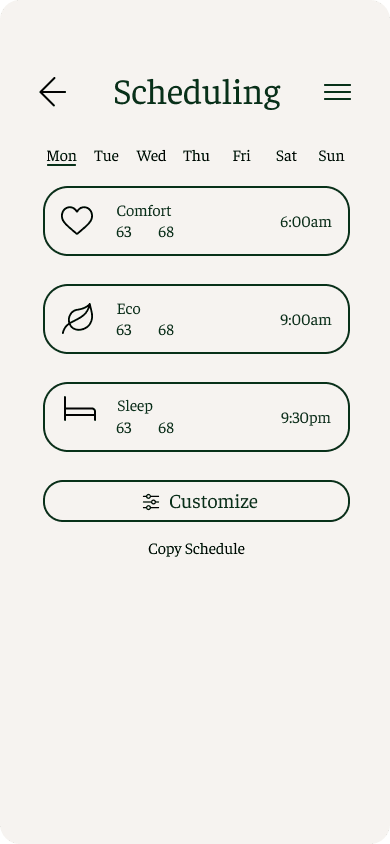
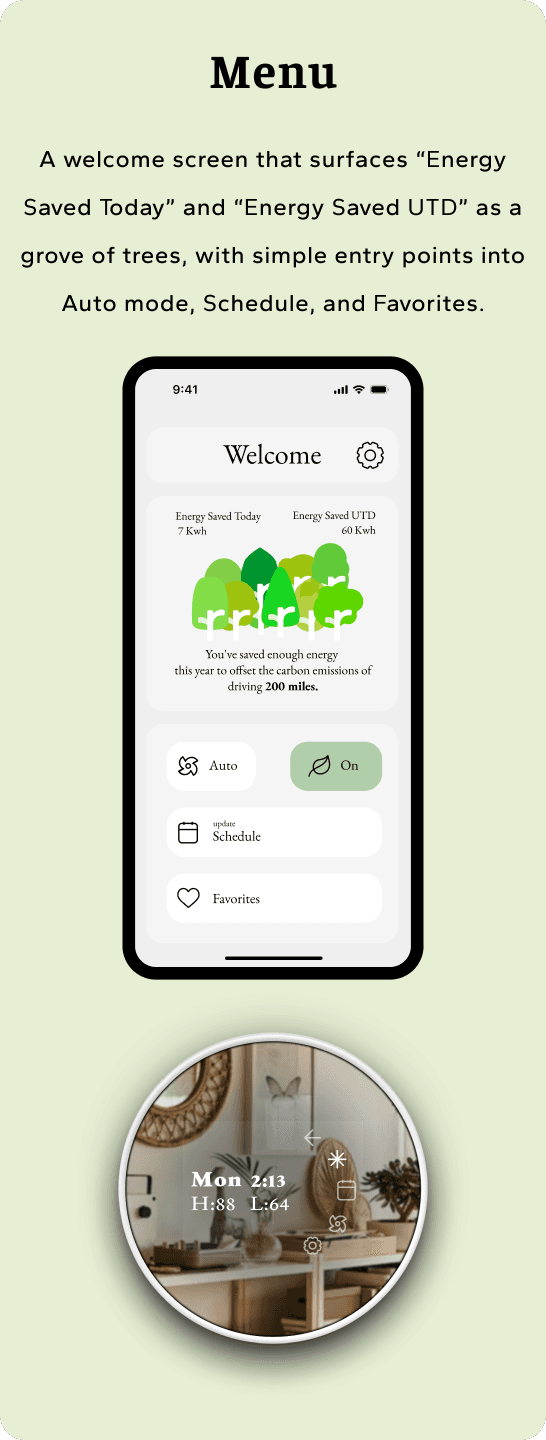
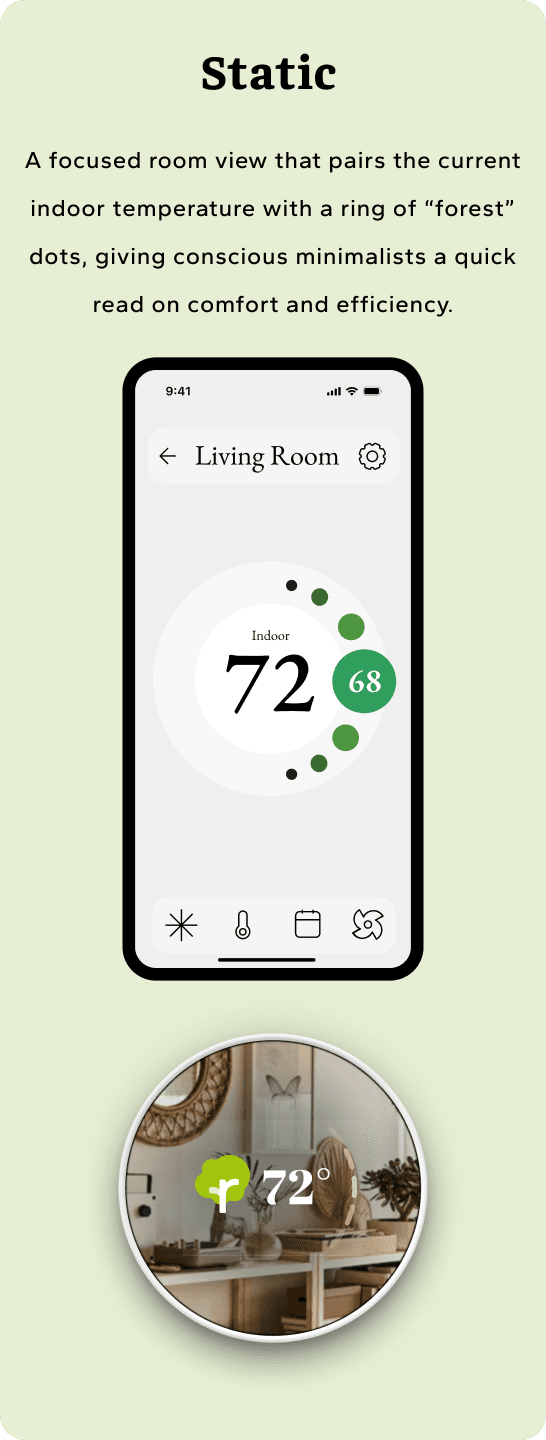
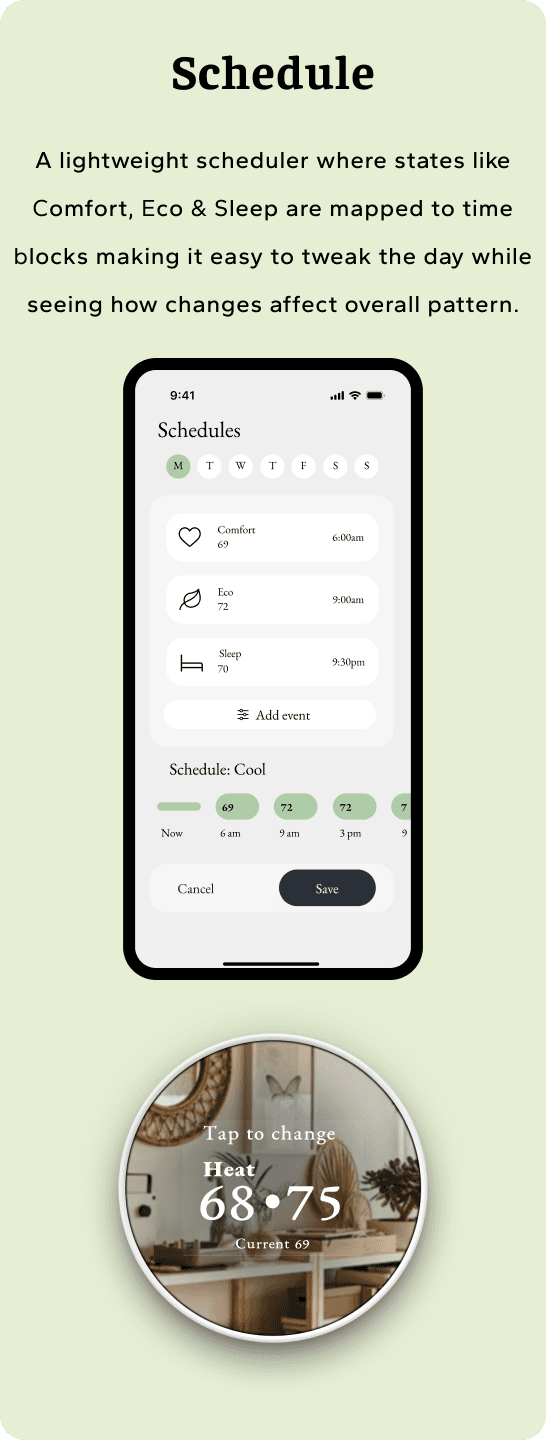
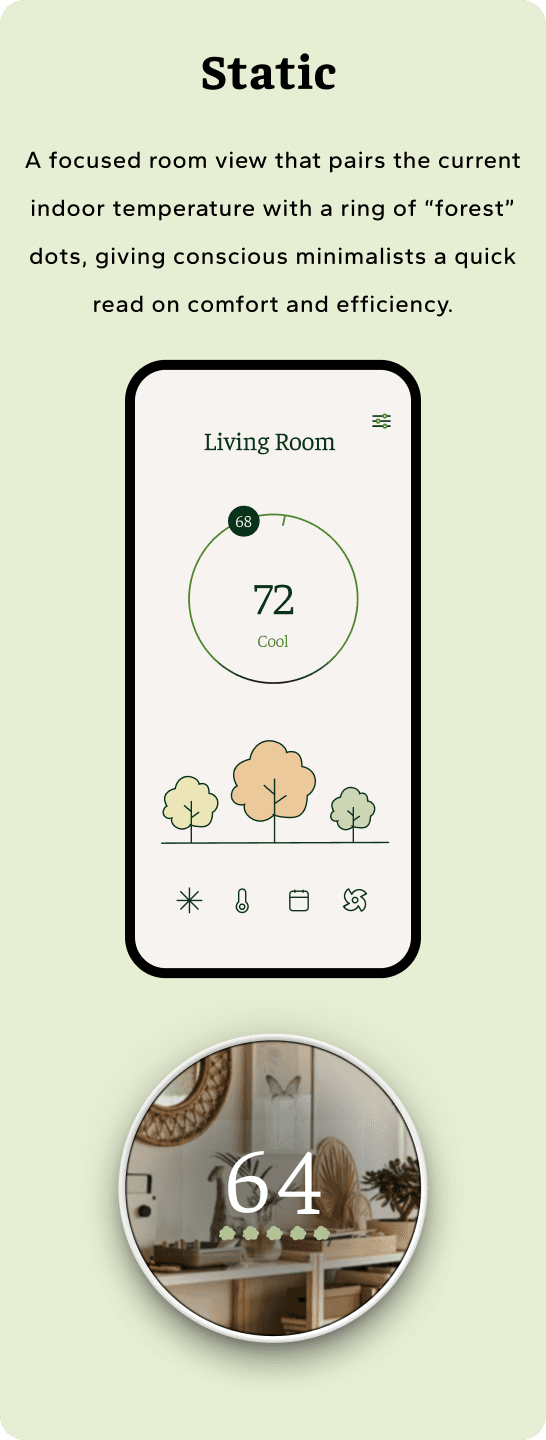
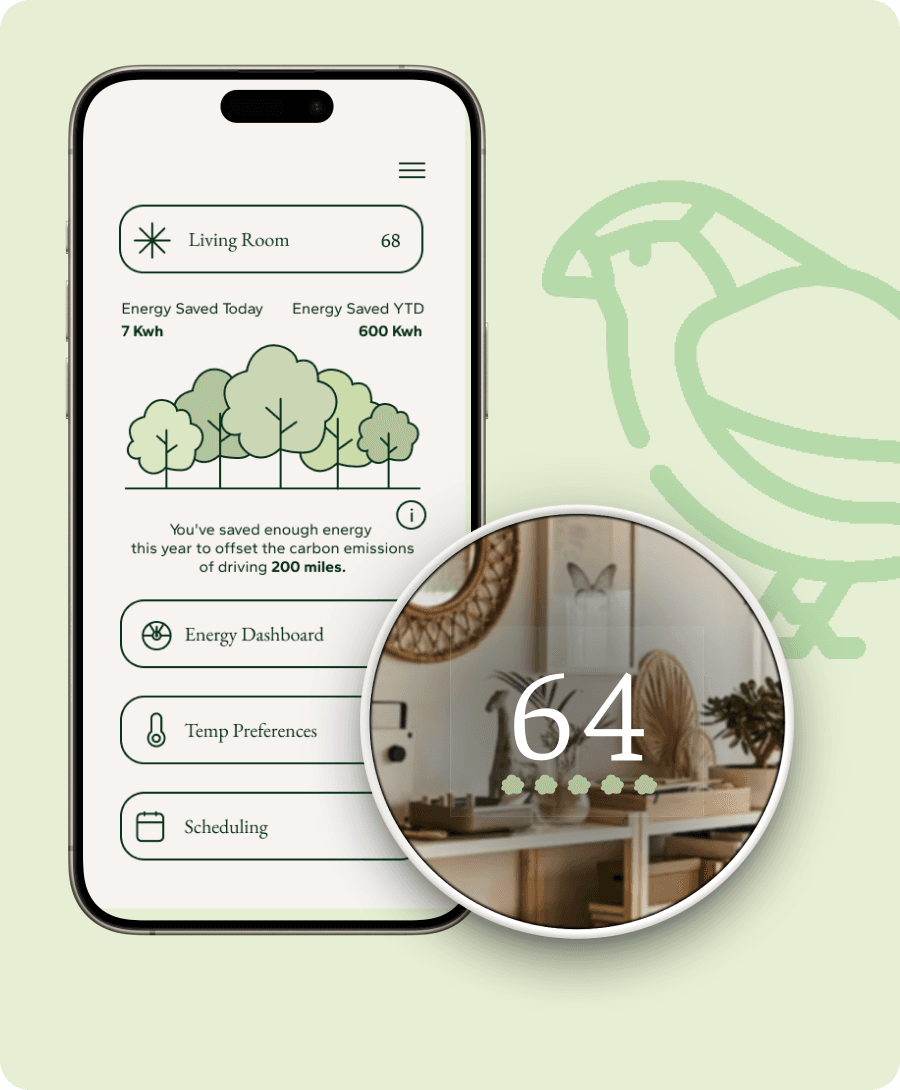
To quickly test the Sparrow’s Nest flow, I built a set of low- to mid-fidelity prototypes focused on three core moments: the Static room view, the Menu / energy summary, and the Schedule editor. These prototypes let people tap through checking the current temperature, seeing how much energy they’d saved in “forest” form, and editing a day’s schedule, so we could validate the tree metaphor and interaction patterns before investing in full visual polish.
User testing
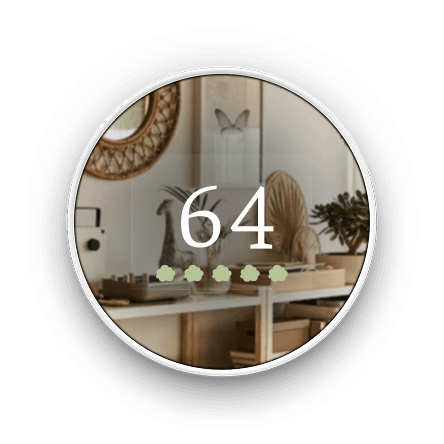
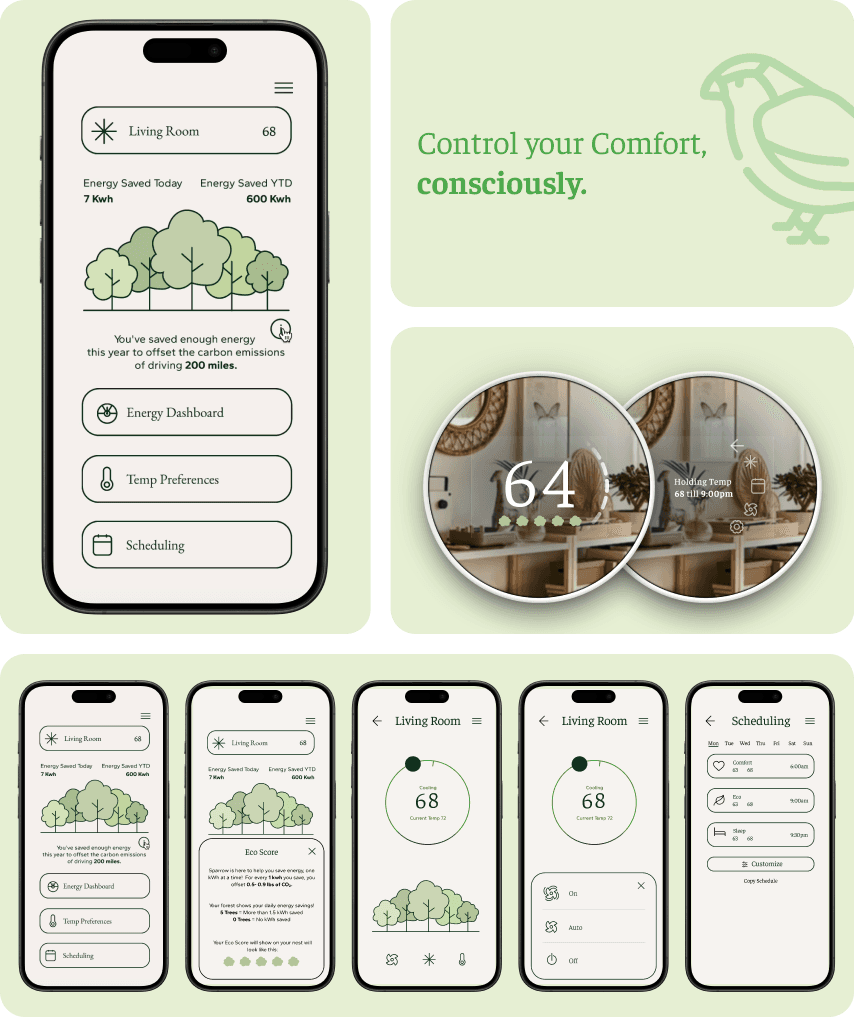
Once the first Sparrow’s Nest visual direction was in place, we ran usability tests using the Static, Menu, and Schedule screens plus the hardware dial (left set of screens above). We asked participants to complete simple tasks—check today’s energy performance, adjust a room’s schedule, change the temperature on the dial—and then talked through what felt clear or confusing.
Key things we heard and observed:
On Static, people weren’t always sure what to look at first—the trees, the icons, or the temperature—so the main read on comfort and efficiency felt a bit busy.
On Menu, the forest illustration and text competed with each other, making it harder to quickly scan “Energy Saved Today” vs “Energy Saved UTD.”
On Schedule, some users struggled to parse the time blocks and state labels at a glance; the layout felt dense for something they’d only touch occasionally.
On the hardware dial, the overlay information and forest indicator sometimes blended into the background photo, hurting legibility.
Refining & iterating


Component library & dev handoff
To make Sparrow’s Nest buildable, I translated the UI into a structured component library and a developer handoff file:
Built reusable components for temperature cards, forest bands, schedule buttons, mode chips, and icon rows, all tied to shared type and spacing tokens.
Documented each screen with redlines for font sizes, paddings, icon spacing, and touch targets, so developers could recreate layouts without guessing.
Added short usage notes explaining interaction logic (e.g., how the temp slider updates state, how schedule buttons behave, and how the forest responds to changes).
This combination of library + handoff file meant Sparrow’s Nest wasn’t just a polished concept—it was a clear, implementation-ready spec that could plug into a larger Nest design system.

Looking back on it :
Outcome
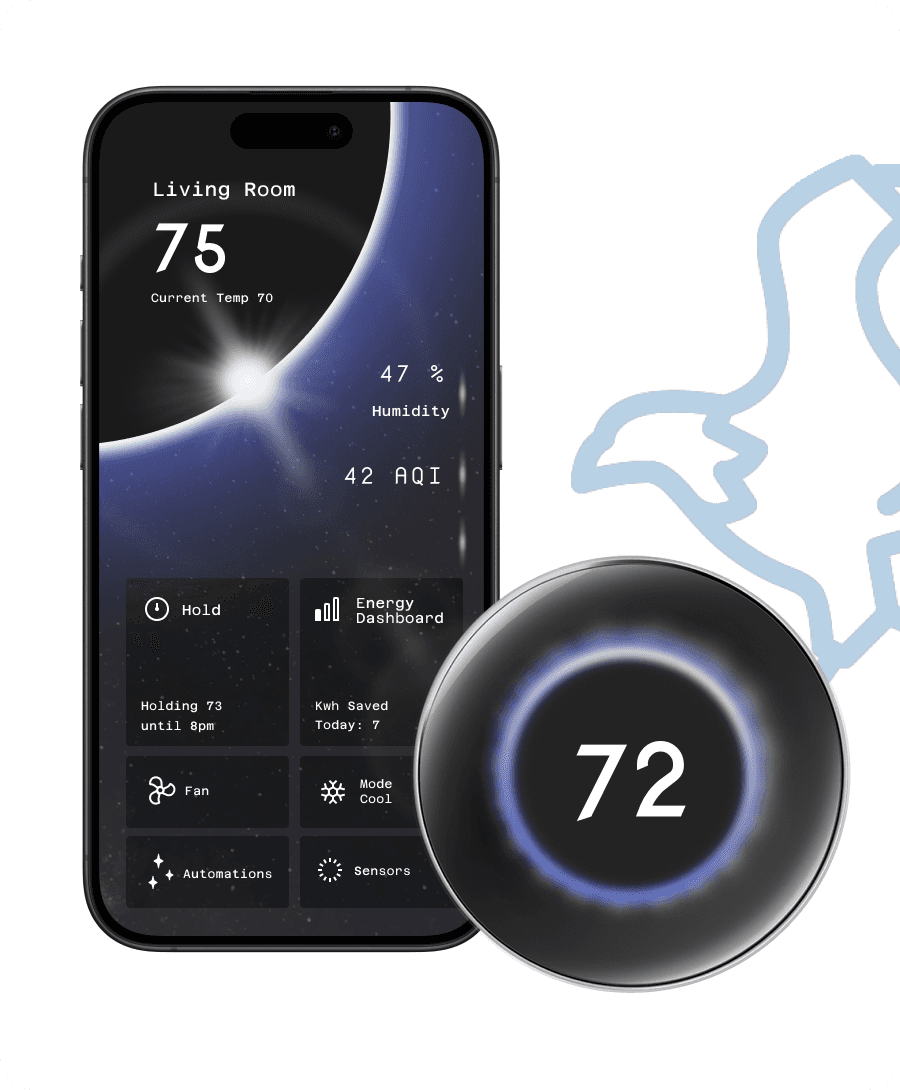
By the end of the project we delivered a three-direction Nest ecosystem that still feels like one product family: Sparrow’s Nest for conscious minimalists, Falcon’s Nest for data-driven geeks, and Robin’s Nest for reluctant employees. Each direction has its own visual voice and level of complexity, but they all share the same underlying flows, components, and cross-platform behavior. Sparrow’s Nest, in particular, proved that a simple forest metaphor and calm visual language can make energy impact feel tangible without overwhelming people with charts or settings.

Takeways
One system, three personalities:
Working on Sparrow’s Nest while co-creating Falcon’s and Robin’s nests taught me how powerful shared IA and components are. Once the skeleton was consistent, it became much easier to push each direction’s personality without breaking the product.
Metaphors are powerful, but need guardrails
The forest metaphor resonated with testers, but only after we simplified the visuals and clarified when trees should change. I learned that metaphors need clear rules or they quickly become confusing decoration.
Testing beats assumptions
Our early hi-fi designs looked polished, but usability testing revealed hierarchy and legibility issues that weren’t obvious to the team. Iterating from that feedback made the final designs calmer, clearer, and more trustworthy.
Designing across hardware and mobile
Keeping thermostat and app in sync forced me to think in flows, not screens—every decision had to make sense from across the room and up close on a phone. That mindset is something I now bring into any multi-surface project.