
Oct 2024
UX Designer
12 hours
Nike + Everyday
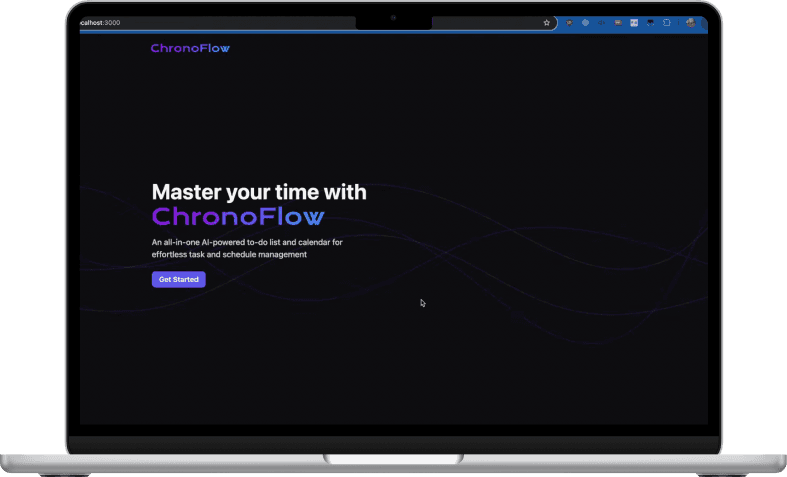
The project itself :
Project Overview
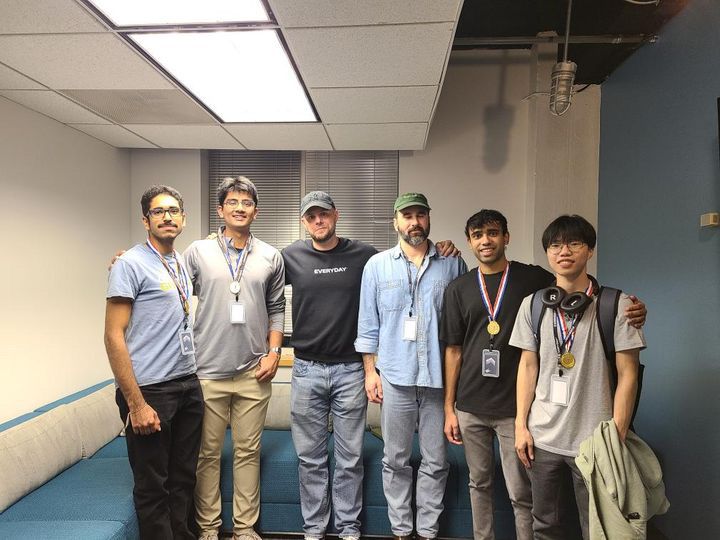
Dreamathon is a team-based, hackathon-style product sprint run by Everyday, where teams design and present a solution within 12 hours. Our team built ChronoFlow; an all-in-one calendar + to-do experience that uses AI-powered prompts to turn natural language into tasks and events, and shipped a working demo with Georgia Tech software engineering teammates bringing the build to life. We won 1st place, and winners were slated to receive a fellowship-style mentorship opportunity with leaders from Everyday and Nike.
This was one of my first experiences translating UX decisions into an actual build end-to-end, and it strengthened how I communicate design intent to engineers under extreme time pressure.
Project challenge:
Design a practical, scalable solution for Everyday’s beta product, something clear enough to demo and compelling enough to pitch, within a 12-hour sprint.
Project brief:
Students spend countless hours balancing classes, clubs, part-time jobs, and personal responsibilities like chores and cooking.
As college students, what would be your ideal solution to managing coursework?
Tools:
Figma
Responsibilities:
Led end-to-end UX for the sprint: defined the student problem, experience goal, and core success criteria
Mapped the primary flow (capture → organize → schedule) to keep scope tight and demo-ready
Designed the key screens and interaction states in Figma, focusing on clarity and speed of use
Created the pitch deck and shaped the story for the final presentation (engineers covered the technical deep-dive)
Collaborated closely with Georgia Tech software engineering teammates to hand off design intent quickly (states, priorities, edge cases)
Made rapid tradeoffs when time was limited, by prioritizing function over visual polish while protecting the core experience
All about the user :
Research
With only 12 hours, we didn’t run formal research. Instead, we grounded the problem in our lived experience as students and sanity-checked direction through a quick competitive scan of ecosystems students already rely on:- Google (Calendar/Tasks), Microsoft (To Do/Outlook), and Blackboard. The consistent pattern was fragmentation: switching tools increases mental load, makes prioritization harder, and leads to missed or duplicated tasks—so we designed ChronoFlow around one goal: reduce tool fatigue by unifying tasks + time in a single, simple flow.
The clear version :
Design
Initially I explored a fully designed website direction, but time forced a shift: we prioritized function over look-and-feelto ensure the experience could actually run end-to-end during the demo. I translated the design into clear, buildable decisions (layout, hierarchy, key states, copy), then stayed in tight sync with engineering as we implemented the working prototype, making rapid tradeoffs without losing the core experience. This became one of the first projects where my UX work didn’t just stay in Figma; it shipped as something real people could use.
All your schedules and tasks—unified.

REAL-WORLD UX:
Working With Engineers
Because we shipped a working prototype in 12 hours, I partnered closely with Georgia Tech software engineering teammates to translate UX into buildable decisions. I focused on clarifying interaction states, defining what was “must-have” vs “nice-to-have,” and documenting the logic behind key behaviors so the experience stayed functional even as we reduced visual polish.
What I handed off
(UX → Engineering)
End-to-end user flow (prompt → tasks/events → schedule → view updates)
Annotated screens with interaction states (empty, loading, success, error)
Component priorities (what to build first for a demo-ready MVP)
Top-level implementation decisions we aligned on
Full-stack setup: Next.js to support both the UI and backend routes
UI Layer: React components for fast iteration and reusable screens
Styling: TailwindCSS to move quickly without custom CSS overhead
AI requests:OpenAI calls handled through the backend (keeps API keys protected)
Persistence: tasks saved so progress isn’t lost across refreshes/sessions (local storage + database)
Live feel: updates reflected immediately without page refresh (state-driven UI)
System flow (at a glance)
User enters a natural-language prompt → backend sends it to OpenAI → response returns structured tasks/events → data is stored → UI updates instantly.
Additional Resources
|
|
|
|
|